
Grant Access to a Google Business Profile
Many of our digital accounts use our primary business name Riley & You. You may be asked to grant access to either Riley & You or AffluentBridge®, depending on the platform.
Log in to your Google account that owns the Google Business Profile. Go to https://business.google.com/u/1/locations, and choose your business name from under Businesses. Or simply search for your business on Google.
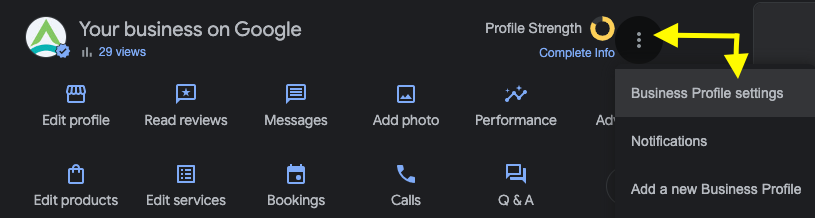
In the Your business on Google section, click the 3 dot menu and choose Business Profile settings.
Choose People and access.
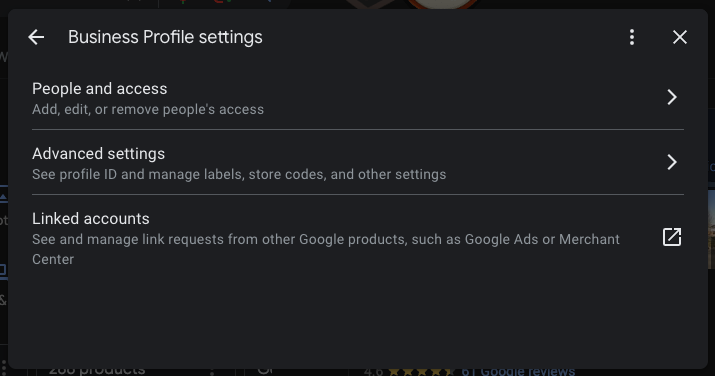
Click the Add button.

Enter rileyandyoumarketing@gmail.com into the Email address field and select Manager access.
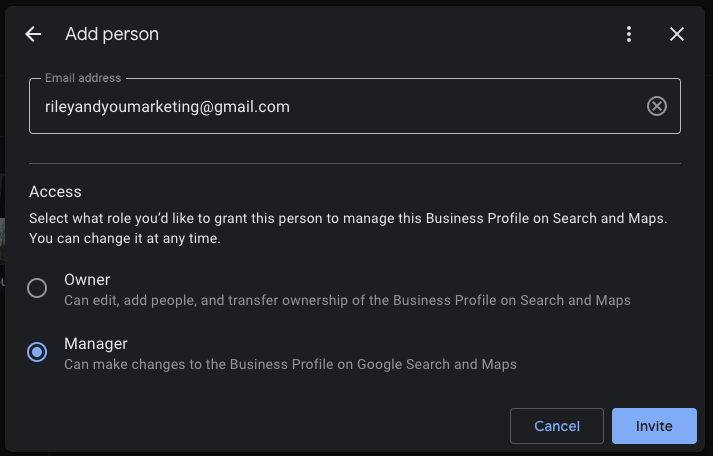
Click Invite.